Activate your client account, sign in with two-factor authentication, and open the folders and files Woud Law shares with you.
Time: 5 min
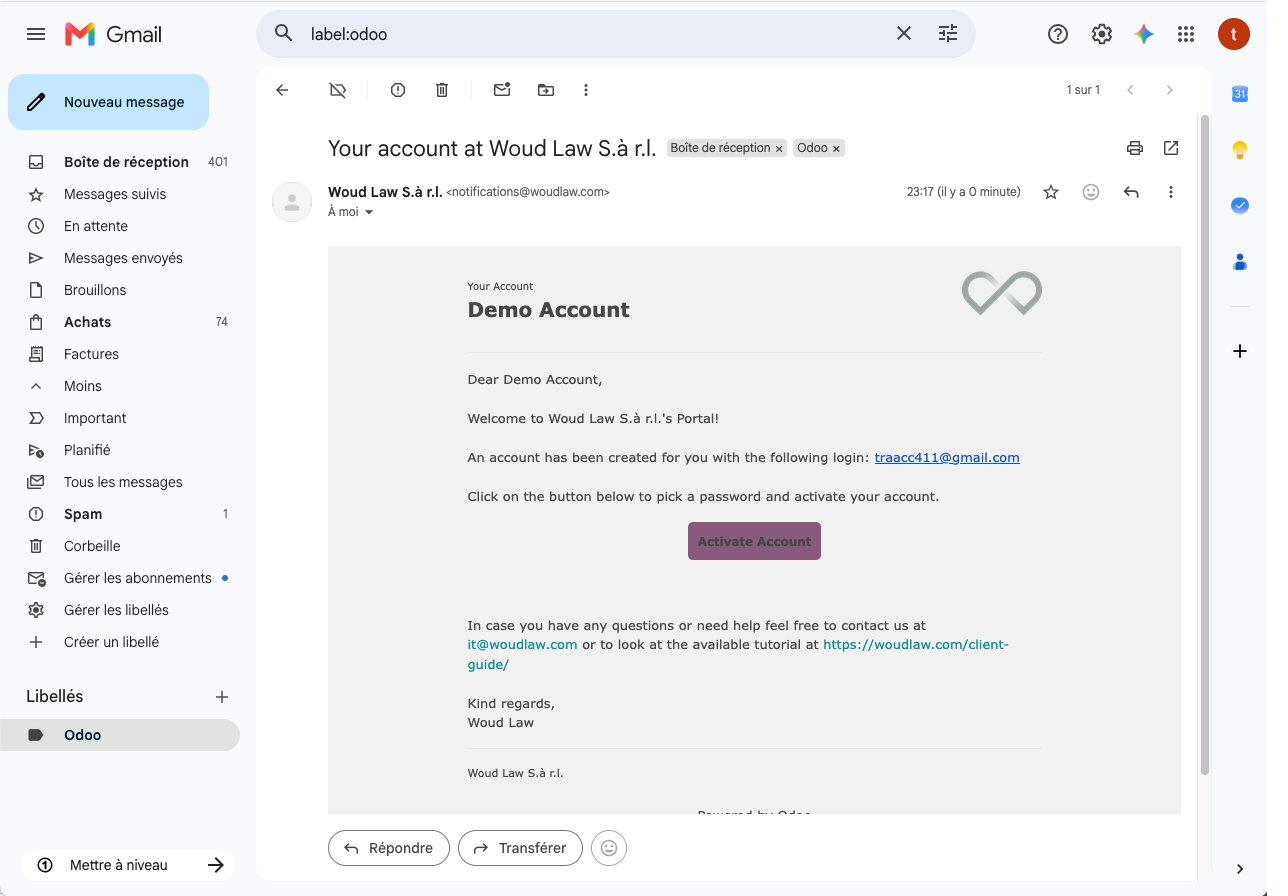
Step 1: Open your invitation email
Find the invitation email in your inbox “Your account at Woud Law S.à r.l.” email and click Activate Account.
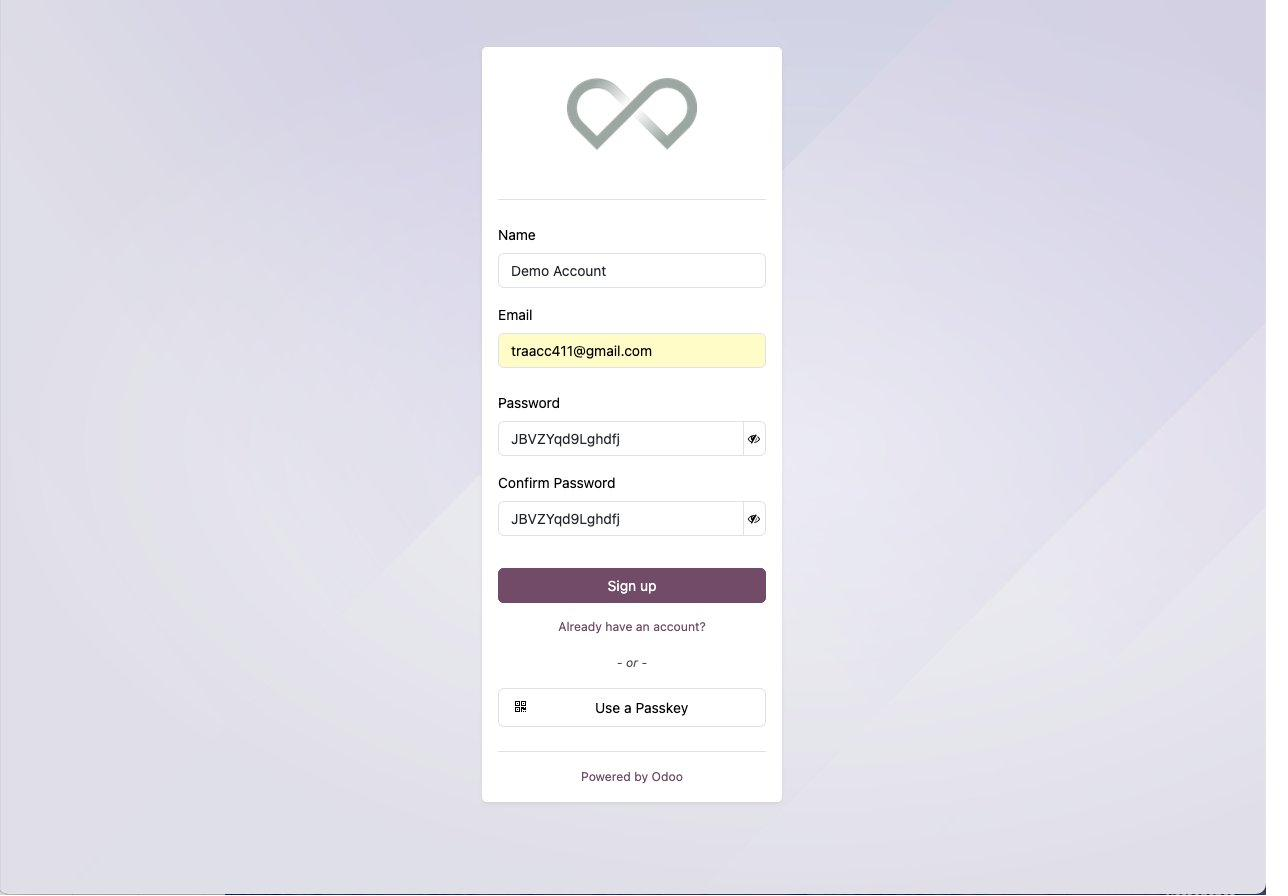
Step 2: Pick a password
Your Name and Email are already filled in. Enter a password, repeat it in Confirm Password, and click Sign up.
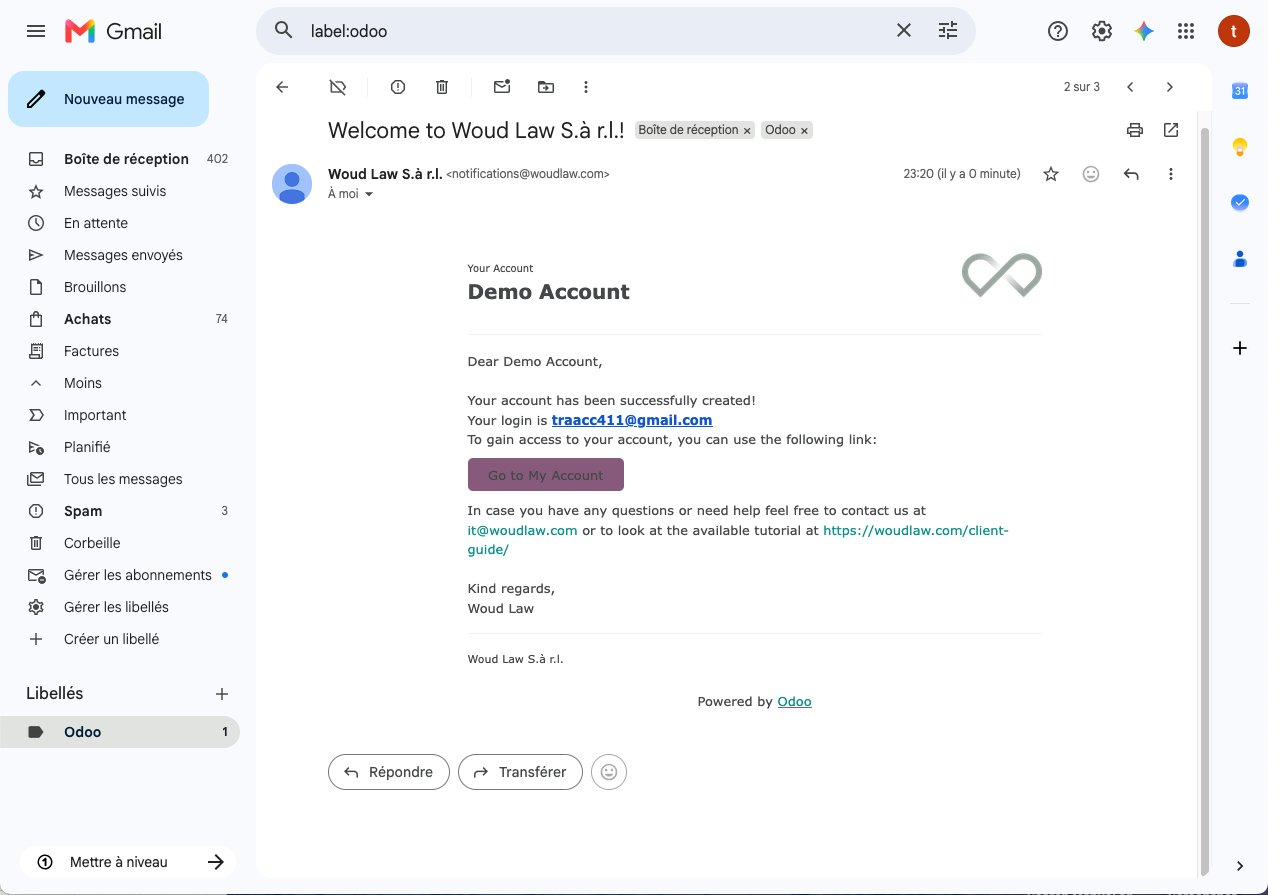
Step 3: Log-in
You will now receive a confirmation email in your inbox, check for the Welcome to Woud Law S.à r.l.! email, then click Go to My Account to log in. You can also directly login through the Woud Law website through the top right buy clicking the menu Client Access -> Portal.
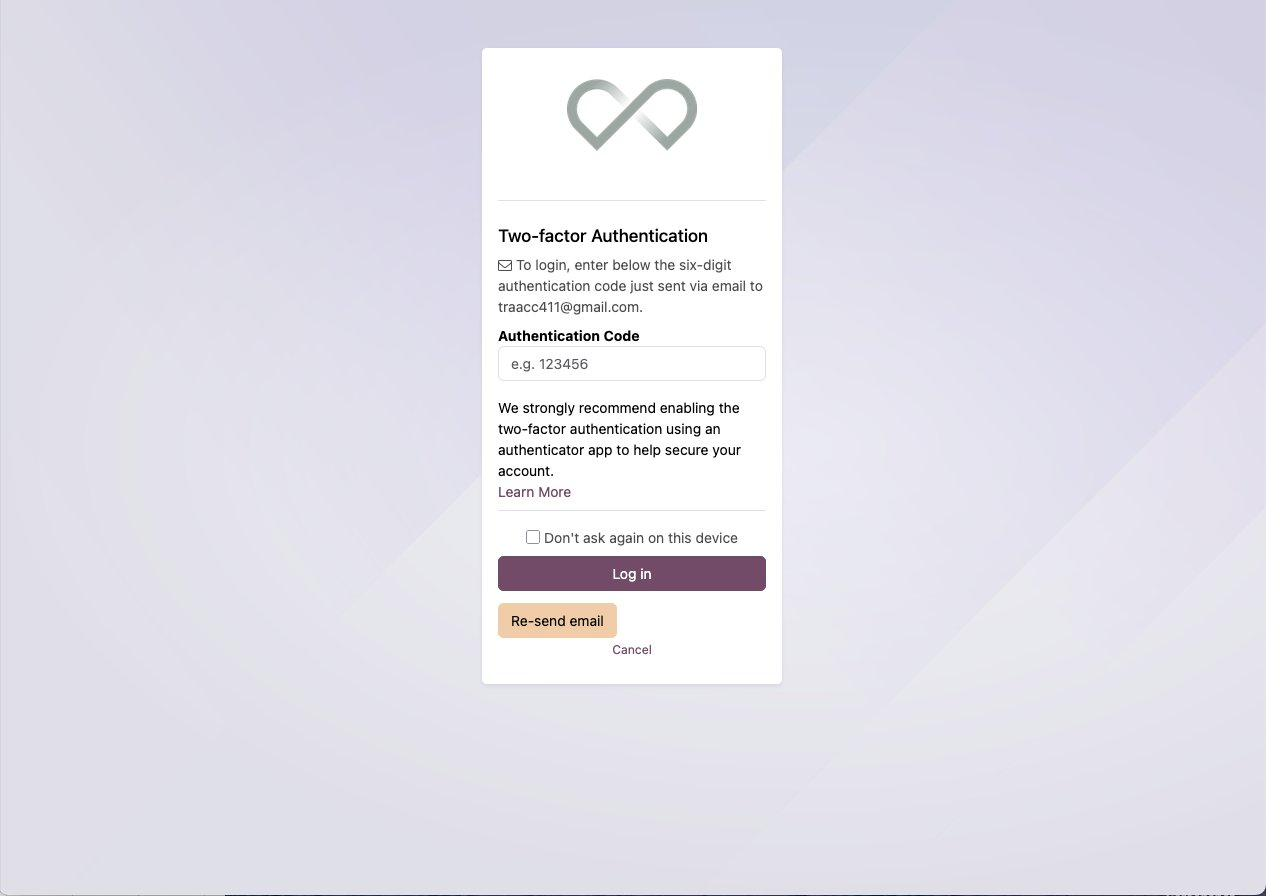
Step 4: Start the two-factor login
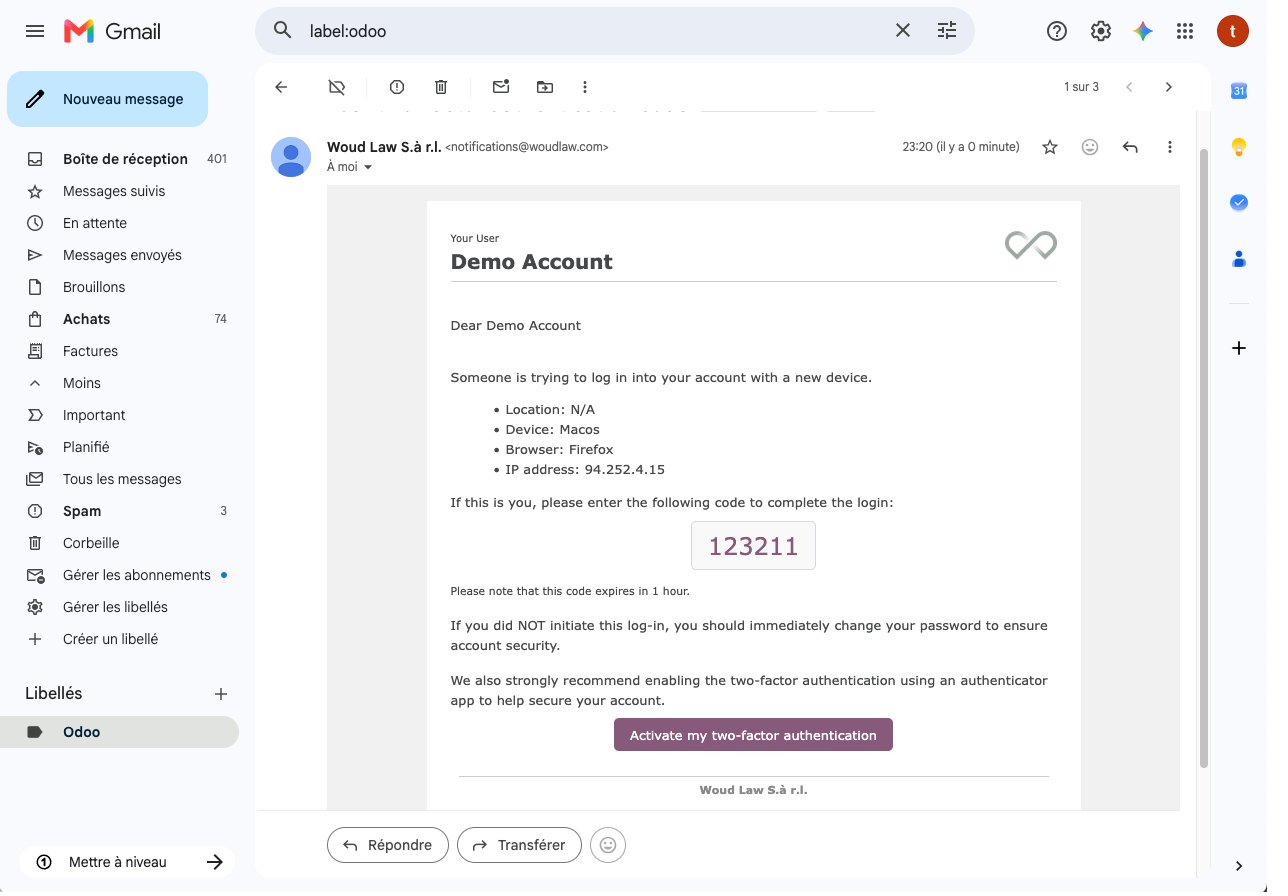
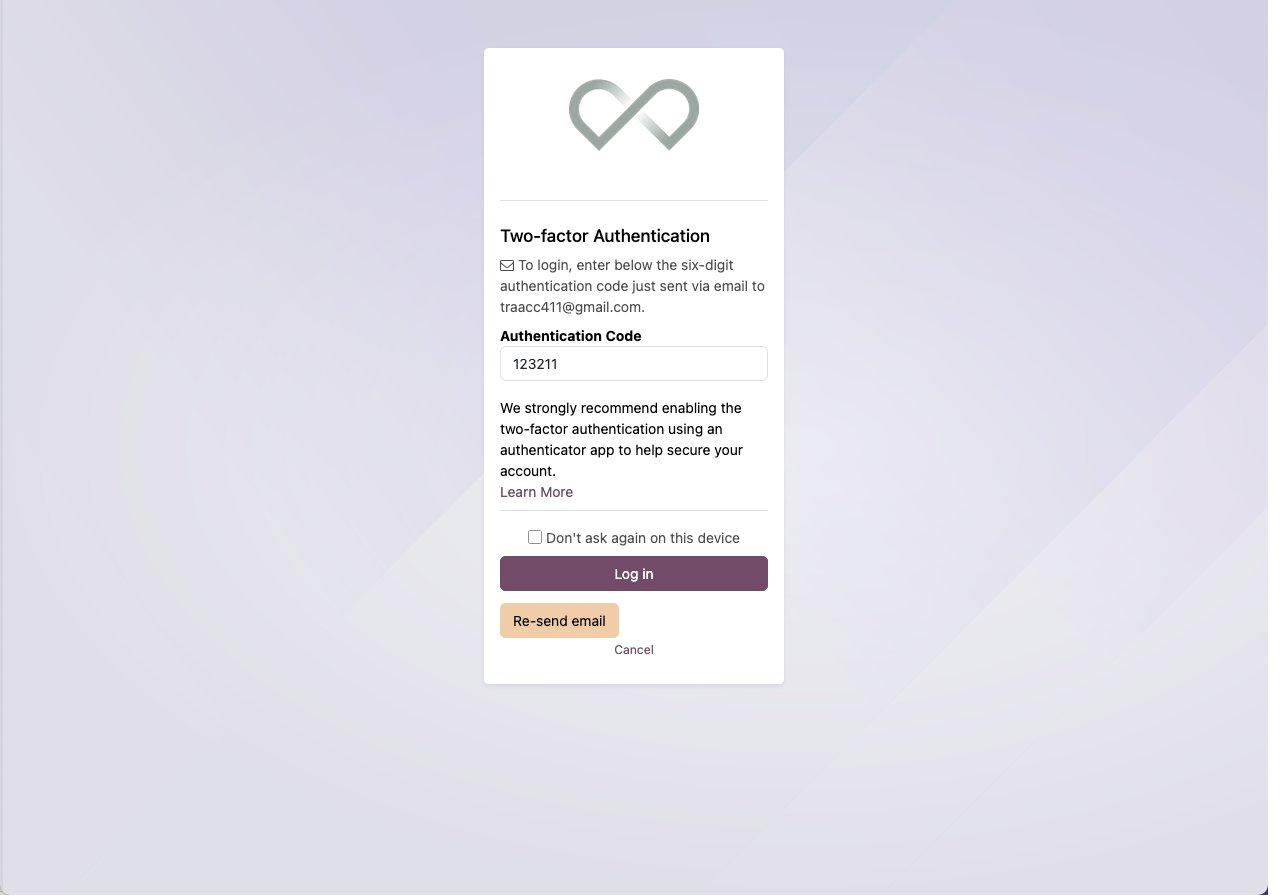
Login in from a new device triggers the Two-factor Authentication, which asks for a six-digit code.
Step 5: Get your code
Open the security email in your inbox “Woud Law S.à r.l.” and copy the six-digit code (such as 123211).
Step 6: Enter the code and log in
Type the code into Authentication Code and click Log in.
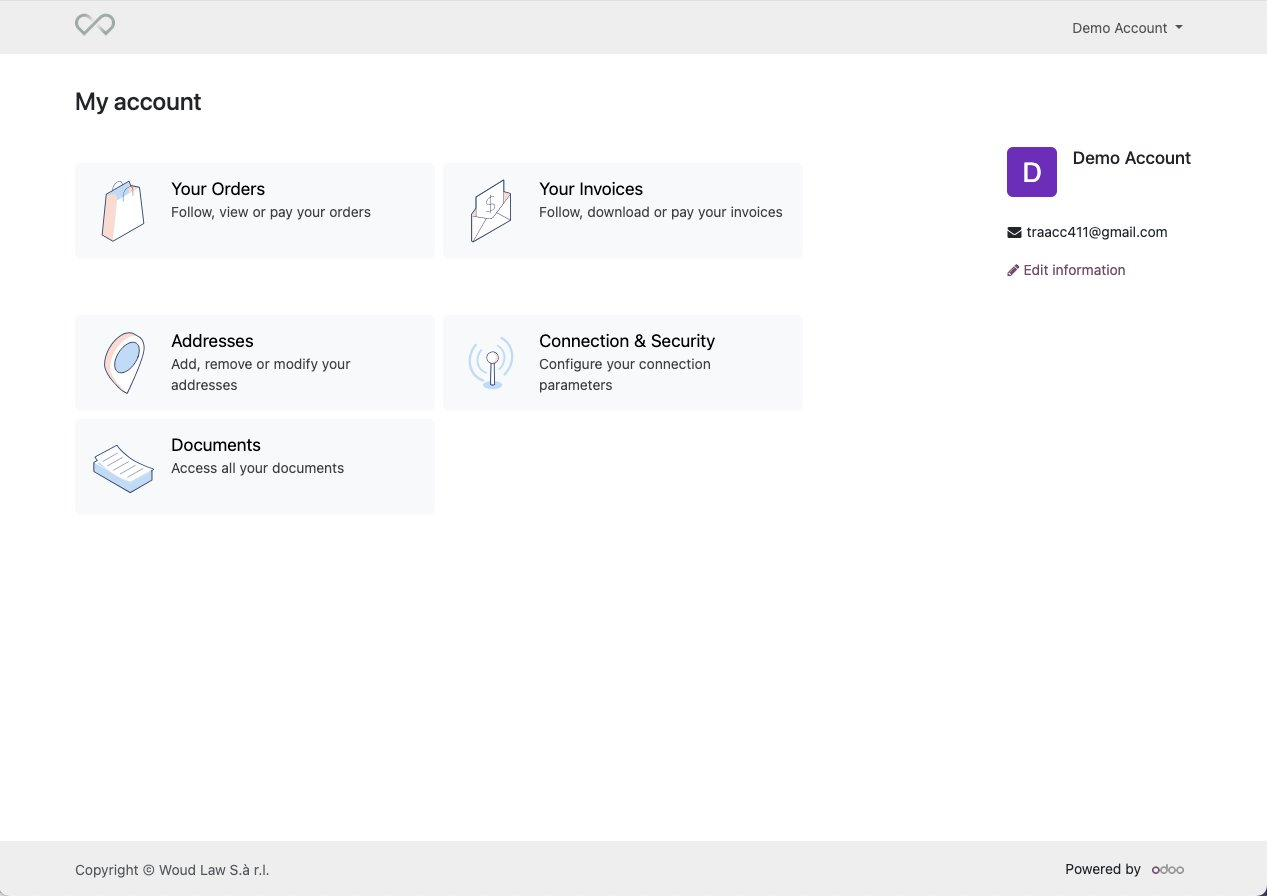
Step 7: Reach your account home
You’re now on My account, with shortcuts to Documents,Your Orders, Your Invoices, Addresses andConnection & Security. The Documents section will be the one that is important when trying to upload or consult documents
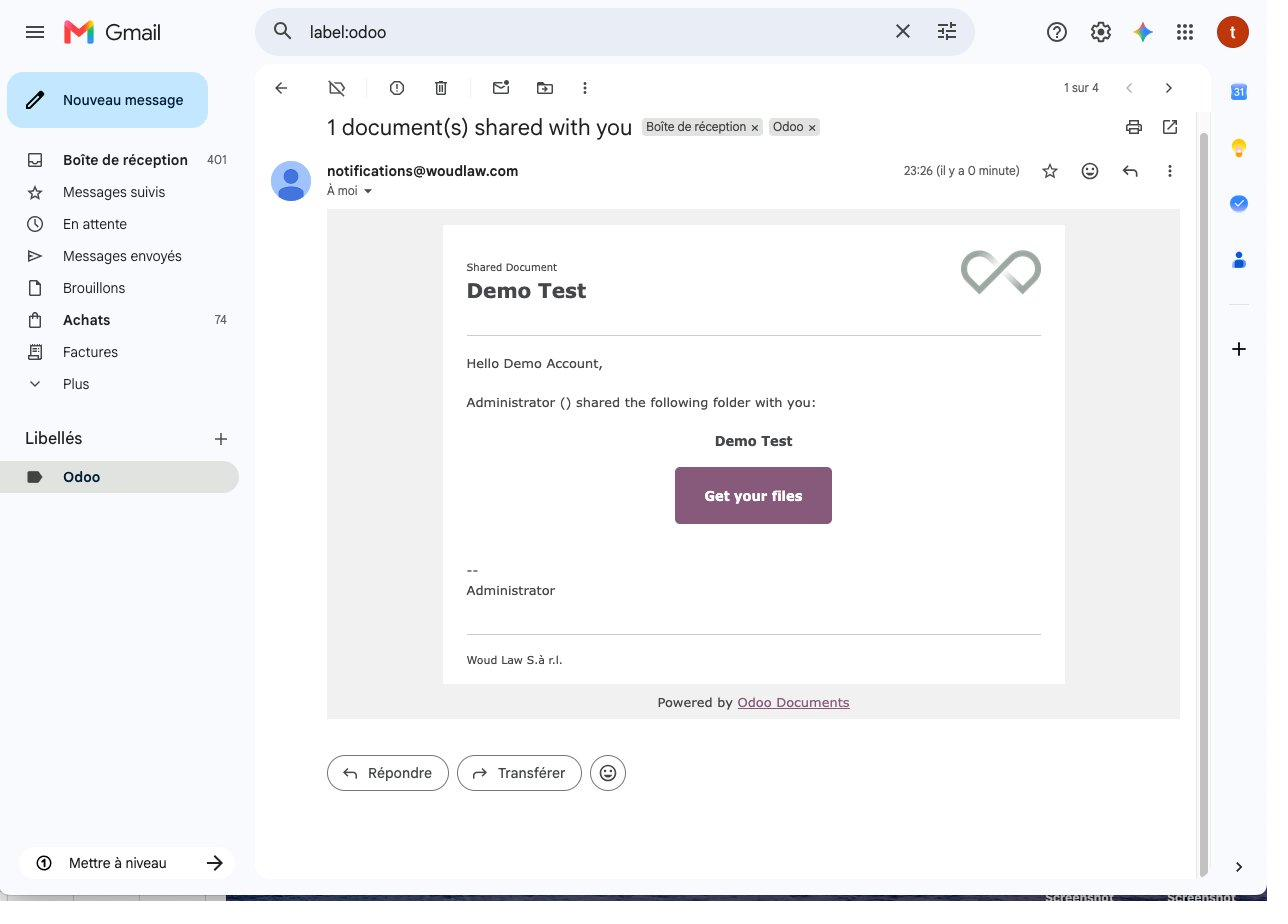
Step 8: Open a shared-folder email
When a folder is shared with you, you will receive an email “1 document(s) shared with you” notifying you. Its content will be available in the Documents section on your own portal page. You can also directly access through the email by clicking on Get your files.
Step 9: Log in if you see “not available”
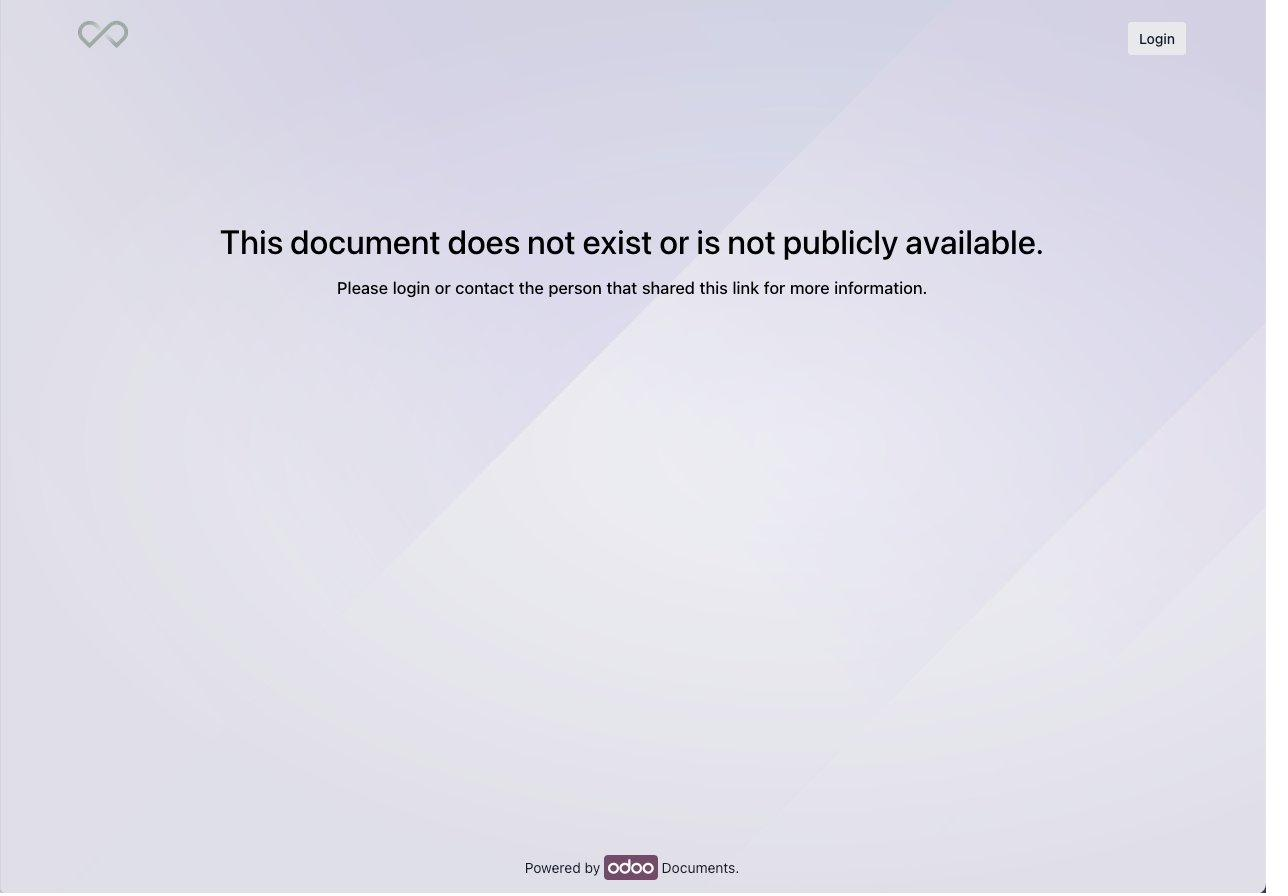
If you open a shared link while signed out, you’ll see This document does not exist or is not publicly available. This is expected as files are never shared publicly. To access your files, you need to click Login at the top right and sign in to your account to continue.
Step 10: Open the shared folder
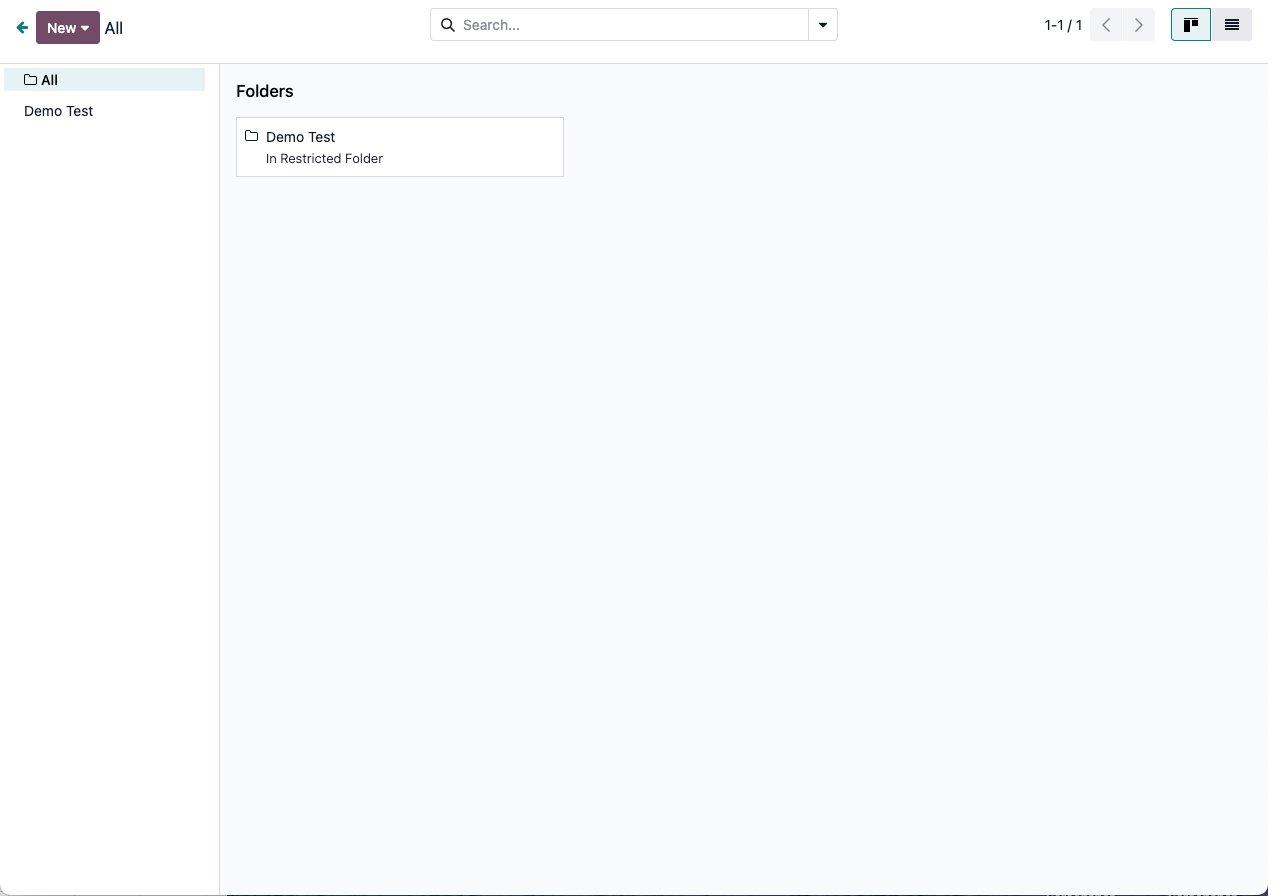
In Documents, click on the folders you have be given access to. Here, it is Demo Test, you will have your own files or folder to open.
Step 11: View your files
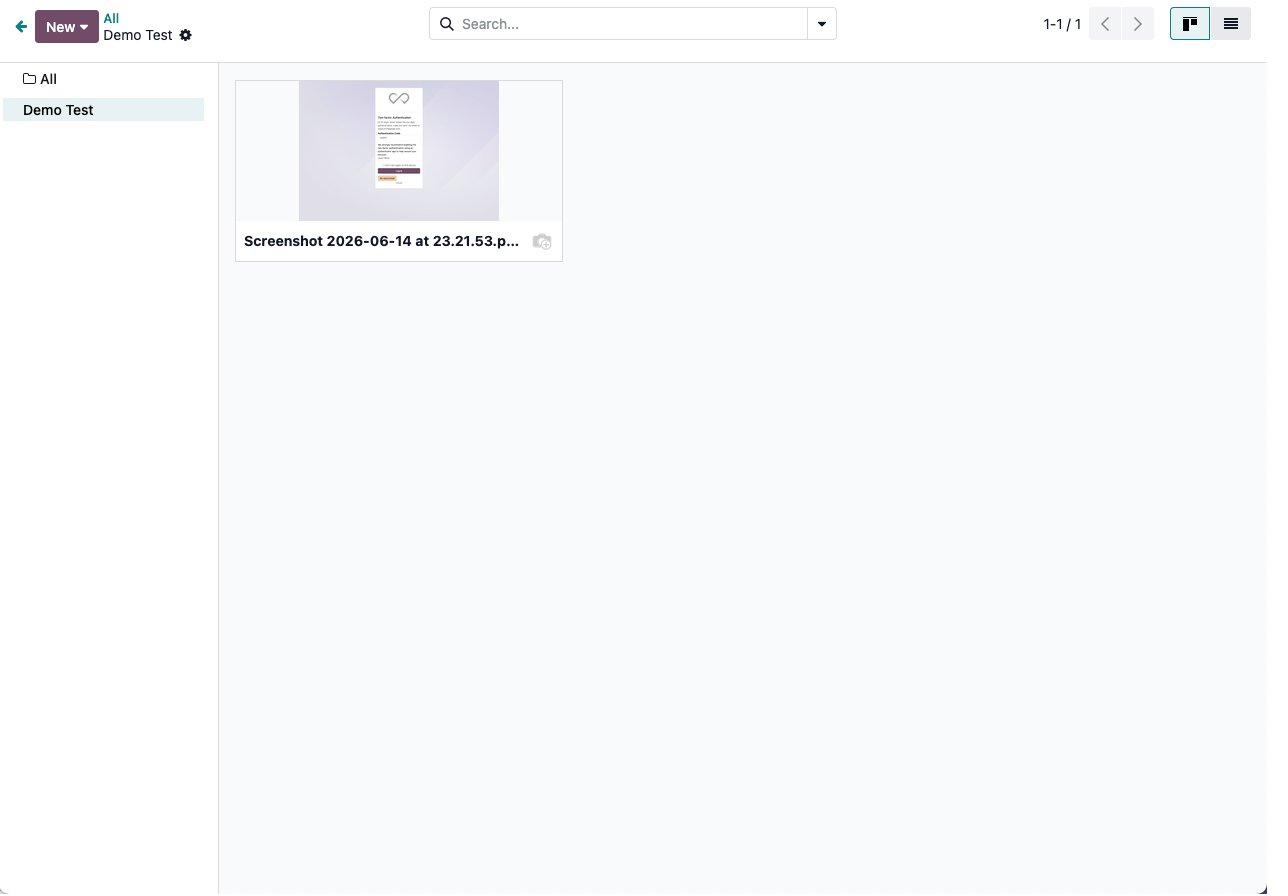
Open the folder to see the files shared with you, they are ready to be viewed or downloaded.
Done
Your account is ready and you can open any folder Woud Law shares, just remember to log in first. If you have any questions or issues do not hesitate to contact us directly at it@woudlaw.com for any help.